About Joe Wein

Software developer and anti-spam activist

Garmin Edge 500 with Heart Rate and Cadence

I’ve had my first week with my new Garmin Edge 500 with cadence sensor and premium heart rate monitor strap, so it’s time for a review. I bought it on Wiggle for about JPY 24,500 ($274).

Around the time I bought the Garmin Edge 500, the new Edge 510 came out. It adds a touch screen, wireless connectivity to a smartphone and various nifty new features, but is also more expensive, so I went for the existing 500.

I switched to the Garmin after more than a year and over 8,000 km of GPS logging using Android phones, mostly my Google Nexus S. Here are my first impressions (the cadence sensor in the bundled set is installed on my son’s bike for use with his 500, so it’s not part of this review):

  1. I really love being able to use a heart rate strap and it’s nice to be able to see the HR figure without having to push a button (daylight permitting). I can ride at a consistent effort level, avoiding both effort too light to build stamina and extreme effort that would lead to premature exhaustion. If money were no object, a power meter would work best (which the Garmin supports). A heart rate monitor is an inexpensive alternative that works for most cyclists wanting to improve their performance.
  2. Because of its barometric altimeter the elevation totals are much more meaningful on the Garmin than on the GPS-only phone, where they may be exaggerated by a factor of 2 to 3. Current altitude data on the Android is OK, but small variations add up too much and grades on climbs and descents may be overestimated.
  3. I love the 90 degree turn quick attach / quick release of the Garmin. It feels both secure and convenient. It is more confidence inspiring than the Minoura iH-100-S phone holder for my Android, which is generally reliable, but not 100% bulletproof. Even after using a bumper for the phone, which has improved the grip of the holder, I’ve had a few instances where on bumpy roads only the USB cable attached to the phone saved my day. I would never entrust my $300 phone to the Minoura without some kind of backup method of attachment, while I feel safe about the Garmin’s mode of attachment.
  4. Importing the rides into Strava or Garmin Connect after the ride is really easy. I just connect the Garmin to the USB cable of the PC and click “upload” on the website in the browser and the browser plugin finds the fresh tracks and uploads them. Assigning a name is marginally easier with a real keyboard than a soft keyboard on the Android Strava app. With the smartphone I could also upload rides while I’m on the road, but why do that if I’ll still add more kilometres until I get back home? That would only be a benefit on a multi day tour without laptop.
  5. One drawback of the Garmin is lack of direct Linux support. My son runs Ubuntu on his laptop, while Garmin only officially supports Microsoft Windows and Mac OS X, so he asked me to upload his activities on one of my PCs. There’s a workable solution though. When you connect the Garmin to a USB port on an Ubuntu machine, it gets mounted as a removable volume named “GARMIN”. In there is a folder called Garmin, with another folder Activities inside which contains all logged rides as .fit files. Copy those to your hard disk and then upload them manually from a browser (Strava supports .gpx, .tcx, .json, and .fit files).
  6. When leaving the house, both the Garmin and the Android take a short while to lock onto the satellites and the Android seems to have something of an edge (excuse the pun) over the Garmin, which does seem to take its time. Maybe that’s because the Android pull pull satellite position data off the web, while the Garmin can only use whatever data it captured before. In one unscientific test, I took my Android and my Garmin outside in the morning. The Android had a satellite lock in 15 seconds while the Garmin took a more leisurely 44 seconds. This is a minor issue to me compared to the next one, GPS precision.
  7. While I have seen better GPS results on some rides from the Garmin than the Android, switching from the latter to the former has not been a dramatic improvement. I think their results are still in the same class, i.e. far from perfect, especially in built-up areas. Neither is like my car GPS, which is pretty solid. Both my son and I have been riding on Strava segments in Tokyo, expecting to be ranked but found the segment didn’t show up because the plotted route was slightly off to the side, so the segment start or end didn’t match up.
  8. Having temperature data on the Garmin is nice, but not really important to me. Unlike heart rate and cadence it’s not feedback that you can use instantly in how you cycle. Your body is a temperature sensor anyway and how you dress is at least as important as the absolute temperature.
  9. The Garmin 500 battery is supposed to last “up to 18 hours”, which would cover me on everything but 300 km and longer brevets, but on any significant rides I tend to take my Android phone, which I use for Google Maps, e-mail, SMS and yes, even the occasional phone call. Using an external 8,000 mAh battery for the Android, battery life has not really been an issue. The same battery will charge either device (one at a time), provided I take both a mini and micro USB cable with me.

Summary

If my Android had an ANT+ chip or supported BTLE (BT 4.0) for using a heart rate monitor as well as a barometric altimeter, then it would still be my first choice for logging bike rides. Given the limitations of my phone and the reasonable price of the Garmin Edge 500 I am very happy with my purchase.

Android Gallery pictures are blank

I am not sure when this started to happen, but for some time I have been unable to use the Gallery app on my Google Nexus S (Android 4.0.4) phone to view my Picasa albums. It shows all the album names and how many pictures each album contains, but the pictures themselves are invisible. Each shows as a dark grey rectangle only. Only the “Camera” and “sdcard” albums (i.e. local pictures on the device) display correctly.

I tried all the fixes I could find, including these steps:
– Manage Apps, Gallery, Force Stop, Clear data
– Manage Apps, Google+, Force Stop, Clear data
– Manage Apps, Camera, Force Stop, Clear data

This didn’t do anything for me. It re-synced and showed the same blank images again.

So far the best solution has been to install the free app “Just Pictures!”. Upon connecting it to my Google identity, it initially showed only my public albums, but an article in their knowledge base explained how to add login credentials to enable it to manage private albums, too and after that I could view them all.

If anybody else figures out a way to fix the original Android Gallery problem, do let me know!

The “$5 wrinkle trick” (TruVisage, PurEssance) trial trap

On a lot of websites I visit I see ads like “Mom discovers $5 wrinkle trick — see her trick”. These ads lead to sites such as ch8health.com which advertise “free trials” of cosmetic products called TruVisage and PurEssance using deceptive advertising:

  • The trial is not free but costs $5.35, supposedly for shipping and handling.
  • Unless the trial is cancelled within 20 days, a further $74.95 is charged for the first bottle, which you may or may not have received by then.
  • After 30 days you will be billed another $80.30 ($74.95 + $5.35 shipping and handling). The same amount will be charged every 30 days after until canceled.
  • The website uses logos of newspapers and other media as if they had reviewed the product, which they haven’t. For example, when viewed from Japan it shows the logos of Japan Times, Yomiui Shimbun and Asahi Shimbun
  • The date at which the free trial is supposed to expire is always one day away – it is dynamically calculated based on your local time.
  • The date of all “user comments” are always one day old – they are also dynamically calculated based on your local time.

The deception used in these ads is very similar to the tricks used in the “Work at home mom” scam and the target population may be similar too.

UPDATE:

There is another variant of these ads. The ad text is something like “Woman is 53 but looks like 27” or “Mom Cut 20 Years in a Week Using This 1 Weird Trick” and takes you to a site called “consumers-lifestyles.net” where they advertise products called “BellaGenix” and “PuraSilk”. Shipping and handling is $4.95 but the first package is $99.95 and the subscription will cost you $89.95 every 30 days until cancelled. Beware!

The “Raspberry Ultra Drops” spammers

Large number of abused Yahoo accounts are being used for sending out spam that includes links to hacked websites with PHP code that links to sites selling weight loss products. Typically the mails have multiple recipients, no subject line and a single link in the message body that uses a PHP page, such as

http://www.example.com/images/stories/ronnd.php?faze=faze

The PHP code redirects to a spam domain, or another PHP page redirecting to a spam domain. Here is a list of some of the spam domains advertised recently:

12fox-news.com
12newsfx.com
1newstime.com
berryextra.com
berryrasps.com
berrythins.com
bestnewsfx.com
buy-raspberry.com
buyberrysdiet.com
channel6nws.com
diet12news.com
dietberryshop.com
dietsraspberry.com
e-raspberryshop.com
efoxnws.com
extra5news.com
focsnewss.com
fox-nws.com
fox5diet.com
fox5nws.com
foxclocknews.com
foxfxnws.com
foxnws24.com
fx-nwstop.com
fxnews12.com
fxsclock.com
fxsnws12.com
fxx-news.com
greencoffeediet.ru
hoursfox.com
i-foxnews.com
i-raspberrys.com
iclocknews.com
justraspberry.com
limitedberry.com
lossdietketone.com
luxurynws.com
naturalberrys.com
newoclocks.com
news24fox.com
newsfx12.com
newsfx24.com
newsfxs12.com
newsviagrow.ru
nowslimberry.com
nwscofee.com
nwsfox.com
nwsfox5.com
nwsfxs12.com
nwshour.com
onraspberry.com
onraspberrys.com
raspberry-slims.com
raspberrybest.com
raspberryelites.com
raspberryfresh.com
raspberryseller.com
raspberrysold.com
raspberrywinter.com
raspdiet.com
raspdiets.com
raspsberry.com
raspsworld.com
raspthinberry.com
salesraspberry.com
shopraspberry.com
slimketone.com
slimraspberry.com
slimsberrys.com
slimsfox.com
soldraspberry.com
topberrydiet.com
trimfatrasp.com
trimraspberry.com
ultraraspberry.ru

These domains use Russian name servers such as ns1.dnsmax.ru (219.87.170.82), ns1.dnscentral.ru (219.87.170.82), ns2.dnsmax.ru (89.103.247.13), ns2.dnscentral.ru (89.103.247.13). The use of hacked Yahoo accounts for mailing, of hacked PHP websites to mask the spam domain and the fake references to Fox News are similar to the “Work from home mom” scam that has been going around for a while, so they are probably connected.

My advice: Don’t buy from spammers. Why should you hand your credit card details to a criminal?

Cycle more than you drive

When I bought my bicycle last year, I had a couple of goals for the new year. The amount of driving I was doing had gone down dramatically since moving to Tokyo, so it didn’t seem too ambitious to aim for cycling more kilometres than I drive by car.

I also wanted to cycle a weekly total of at least 100 km, a nice round figure. If I achieved that minimum and assuming I would sometimes do more than the minimum, a goal of 6,000 km for the whole year didn’t seem too ambitious. That would be a monthly average of 500 km. As it turned out, my monthly total was only significantly below 500 km in three months of the whole year.

After getting into longer rides (100 km or more) in February, I ended up doing at least one long ride every month except August, including 16 rides over 100 km and 11 of those over 160 km. The longest ride was a 300 km brevet. I am not fast, but I like to start early and to keep going.

While the year is not quite over yet, my total cycling since January comes to 7250 km (excluding any rides under 5 km which I don’t log), while our car this year has clocked up about 4,000 km being driven by my wife and me. About 1/4 of that driving distance was actually due to bicycle races that my son Shintaro competed in.

While cycling more than driving is not a realistic option for everyone, once you get used to it, the bicycle is a viable alternative more often than you might at first think.

Google Picasa web prices

Yesterday I was going to upload a set of pictures to Google’s Picasa Web from my bicycle trip the day before, only to get a surprise.


Picasa 3 popped up this message and asked if I wanted to upgrade to more space:

You are currently using 21849 MB (100%) of your 1024 MB

Was I suddenly unable to add new pictures? Why just now? It all turned out to be rather benign, see below.

Almost two years ago I had purchased 80 GB of storage space for $20/year, but then found that even after I uploaded gigabytes of images and videos, it was still only showing as using a fraction of a GB. I then found a post that explained that only images bigger than 1600×1200 pixels (2 MPx) and videos longer than 10 minutes counted towards the purchased limit. That resolution is fine for online viewing: The biggest monitors in practical use are 1920×1200, which is only 2.4 Mpx. Uploading at 3 Mpx or more would have no practical benefit and any prints I’d do I’d do from the full size resolution files on the hard disk anyway.

So in March of this year I downgraded to the free plan, which has a 1 GB limit. Throughout the year I kept uploading pictures no larger than web resolution and videos shorter than 10 minutes. So I was really surprised when I got this message. First I was shocked a bit, because when I checked prizes for subscriptions, I found that while the pre-April 2012 plans like the one I let expire had charged $.25 per GB per year ($5 for 20 GB, $20 for 80 GB), the new plans were 2.4 to 4.8 times more expensive (see Google’s own comparison of the plans). Google now charges monthly and the 25 GB plan works out as $29.88 over 12 months, about $1.20 per GB. That means the new 25 GB plan is about 50% more than the old 80 GB plan I had before. Yikes! 100 GB costs $59.88 per year, or $0.60 per GB per year. The 200 GB, 400 GB and 1 TB plans are proportional in price to the 100 GB plan. While existing users of the old plan can keep renewing their plan, free users can only sign up for the more expensive new plans.

However, all turned out to be a storm in a tea cup, because nothing had really changed: When I finally clicked “OK” to continue, it uploaded my photographs as before and I could view them. All that had changed was that they tell you that you’re over the limit, but the limit only applies to images bigger than 2024×2048 pixels or videos longer than 15 minutes. If you’re above the 1 GB limit as a free user, you only lose the ability to uploaded images bigger than 2024×2048 pixels (they will automatically be scaled down) or videos longer than 15 minutes, which I don’t really need.

I guess they decided to switch to heavier sales tactics to better monetize their service, as after all Google is a commercial company serving their share holders and not just their customers.

“Work from home mum” scams (newsonlineweekly.com)

Almost two years ago I wrote about “Work from Home Mum” scams. Right now I see this type of scam mostly advertised via paid website ads. A year ago it was mostly advertised via spam sent from hacked Yahoo email accounts, which of course is totally criminal.

The advertised websites still look very similar. A recent example is newsonlineweekly.com. When I opened it, the headline read “EXPOSED: Shizuoka-shi Mum Makes $7,397/Month From Home And You Won’t Believe How She Does It!” The internet provider I was accessing from was in Shizuoka, Japan. When I opened the same site from a webhoster based in Nuremberg, Germany, it came back as “EXPOSED: Nuremberg Mum Makes $7,397/Month From Home And You Won’t Believe How She Does It!” Their server looks up what city your IP address is associated with and puts that into the headline.

If you click on the link to sign up, it takes you to a site called “onlineincomesolution.com” where you’re asked for your name, email address and phone number. The small print mentions that you’re placing an order for “Acai Lipo” for £99.97 and another £99.97 for “Quick Detox” (the price was probably shown in UK Sterling because my browser is set for English (UK)).

They are still using deceptive advertising to trick housewives and mothers into sending them money hoping to be able to support their families. They are targeting people for their scam who are out of work and short of money. How sick is that?

The earth4energy scam

In recent months I have come across many ads for a website called earth4energy.com. If you haven’t seen the ads, it makes implausible claims of anyone being able to become energy independent for a only small investment. Make no mistake, it’s a scam, designed to sell worthless “e-books”. See this site for a thorough debunking of their claims.

The fact is, the electricity usage of average households can not be met easily or on the cheap from renewable sources using some DIY design. Any photovoltaic panels or wind turbines that are powerful enough to make a significant contribution will cost you a lot of money, typically at least several years worth of your normal electricity bill. These people would have you believe that for a few hundred dollars you could become independent of the utility companies. They do so because their business is selling e-books and videos to people. The exaggerated claims are how they get people to send them money. They are using an elaborate affiliate scheme and paid online ads to fish wide and far for people who might fall for their promises.

What I find particularly interesting about earth4energy.com is how similar it looks to the earlier “Run your car on water” scam I reported about a little over 4 years ago that made similarly outrageous claims. Then they promised cutting your fuel bill by wiring a “hydrogen generator” to your car alternator. Of course it didn’t work.

Both scams made money by selling worthless e-books. Both used affiliate schemes. On either set of sites when you try to navigate away from it, a dialog box will pop up to ask you if you really want to leave, trying to keep you there. If both schemes were not run by the same person, I’d guess they either used the same web designer or one guy closely copied the other. Typical for the hype used to sell on both sites is a “limited time offer” on earth4energy.com. When I checked it, it said the special offer expired on November 22 at midnight, which is today:

To secure your purchase and get the bonus products for free please order now. (This offer expires Thursday November 22 at midnight)

When I checked the source code of the earth4energy.com website, I found this piece of Javascript code that always outputs the current date:

To secure your purchase and get the bonus products for free please <a href=”ordercd.php”>order now</a>. (This offer expires
<script type=”text/javascript”>
var d=new Date()
var weekday=new Array(“Sunday”,”Monday”,”Tuesday”,”Wednesday”,
“Thursday”,”Friday”,”Saturday”)
var monthname=new Array(“January”,”February”,”March”,”April”,”May”,
“June”,”July”,”August”,”September”,”October”,”November”,”December”)
document.write(weekday[d.getDay()] + ” “)
document.write(monthname[d.getMonth()] + ” “)
document.write(d.getDate() + ” “)
</script>
at midnight)</p>

It will tell you the offer expires on today’s weekday and today’s exact date at midnight. It will do so today, tomorrow or a year from now. The offer is not meant to ever expire, the fake deadline is only claimed to rush you into buying. That is just one example of deception on their site.

The identity of the registrant of domain “earth4energy.com” is hidden behind a WHOIS proxy, so we don’t know who it is. What’s interesting though is that the site was registered in June of 2008, around when I wrote about the earlier scam. Back then there was a site called water4gas.com (notice the similar naming scheme!) run by a guy calling himself “Ozzie Freedom”, whose original name was Eyal Siman-Tov. He is from Israel and appeared to be a member of the Scientology cult. In 2008 he got sued by the state of Texas for deceptive business practises. You can read about the court case here.

I find it interesting how many web pages out there promote both water4gas by Ozzie Freedom and earth4energy.com. Here are a few of them. Is that by coincidence or are they connected?

Nichitsu ghost town ride

I try to cycle at least 100 km per week, with at least one all day ride (12 hours and more) a month. My latest such trip took me to Nichitsu ghost town, a former mining town set up by Nitchitsu Co Ltd in 1937 and abandoned in the late 1970s. Since May several members of Tokyo Cycling Club (TCC) had been passing through that place. The pictures of it that I found on the web looked very interesting, though I did not fancy looking for the infamous brain in a jar.

A week ago another TCC group went on an autumn leaves viewing tour in the area, but I couldn’t make it. So I decided to go the following weekend, together with my friend Jose, with whom I had done several long rides last winter and spring (including the BRM519 300 km brevet in May).

It turned out to be one of the most beautiful rides of the year, but it was also one of the more challenging ones, because of how mountainous the route was and because of how cold it was already. According to Jose’s Garmin 500 GPS, total climbing on the route was only 7 percent less than at the 300 km brevet around Mt Fuji we rode in May!

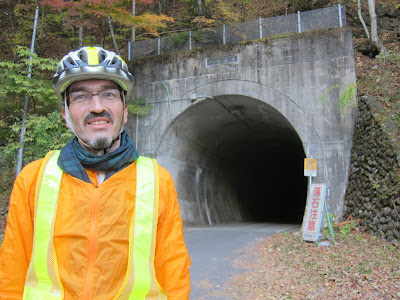
Jose and I both wanted an early start and we agreed to meet at 05:30 at the Tamagawa bridge near Yanoguchi station. I got up at 04:00, planning to leave at 05:00, but ran 10 minutes late because I decided to get changed again to be better prepared for the cold and later was glad I did! I changed from my cycling shorts with extra set of tights on top into corduroy pants and long johns. Later on, when descending from a tunnel that is the highest point of the route (elevation: approximately 1250 m), I also wore up to three shirt layers (two short sleeve and one long sleeve sports shirt) plus a wind breaker, a scarf and ski gloves.

While climbing I stripped down to a short sleeve t-shirt when it was 9° C. At the higher altitudes it was around 3° C and I wore another layer.

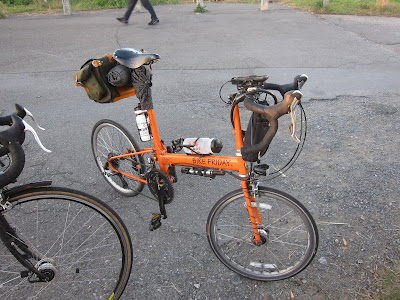
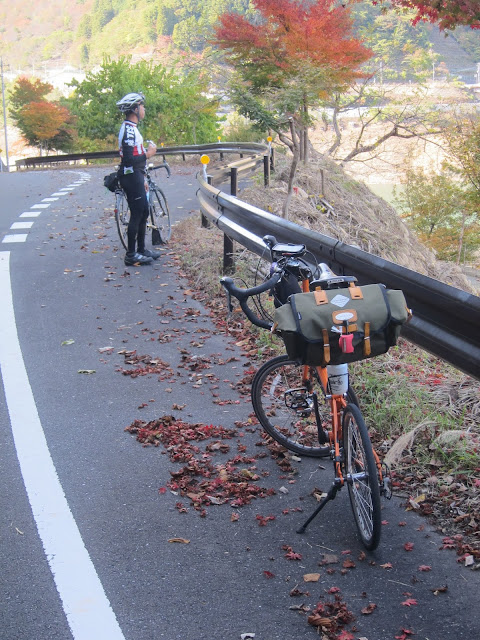
The day before the ride I got myself a Carradice Pendle saddle bag for the Brooks saddle on my Bike Friday to carry clothes, bread and the obligatory bananas (hey, you can’t go on a lengthy bike ride without bananas!). The bag was the perfect size for this kind of trip.

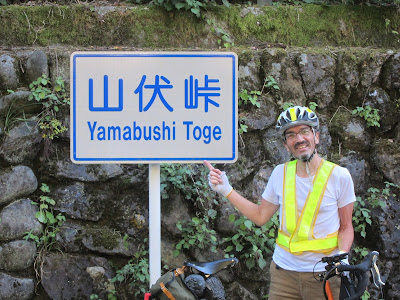
After meeting up at the Tamagawa river we cycled along the east bank up to Oume. After a 20 minute stop at the station convenience store we headed off into the mountains, climbing Yamabushi pass and descending into Chichibu via a route recommended by my friend Pete.

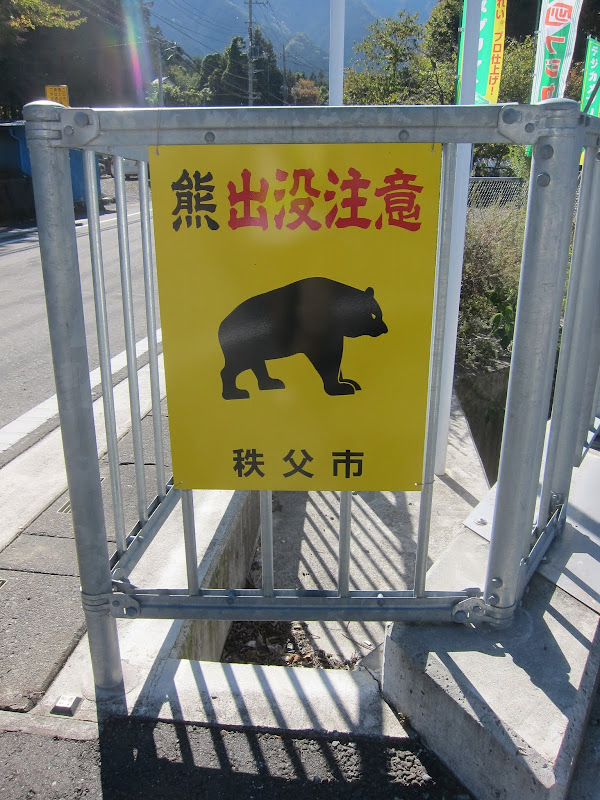
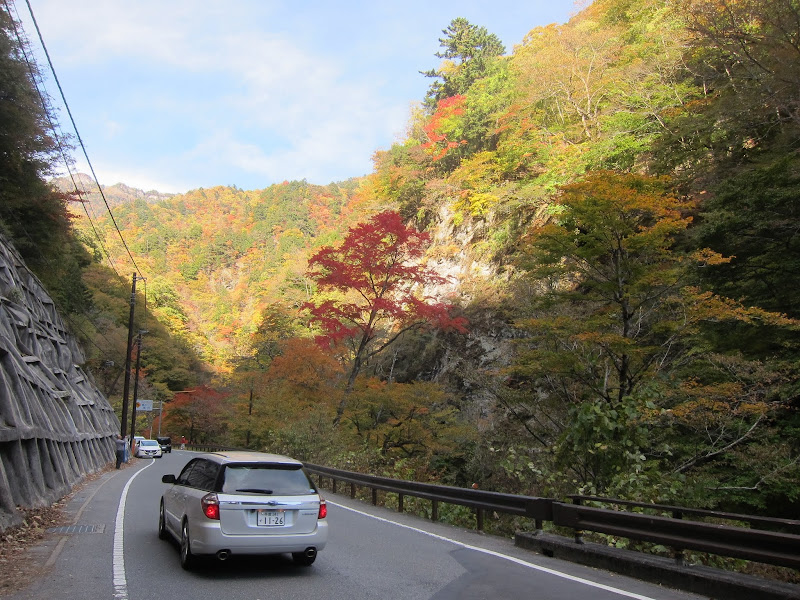
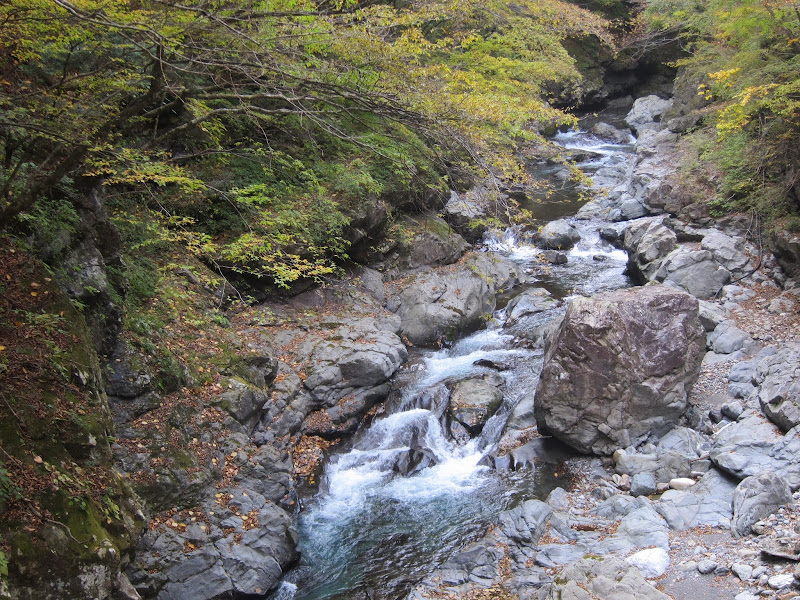
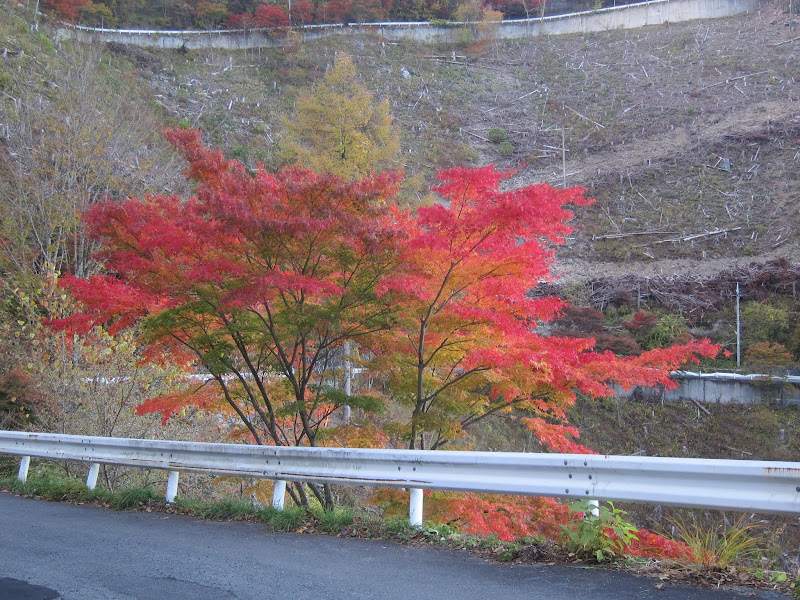
5 1/2 hours after leaving home we arrived at Chichibu where we had a nice 50 minute bakery lunch and coffee at a mall, then set off for the big autumn leaf viewing loop. We encountered plenty of nature, including one deer with big antlers, but fortunately no bears:

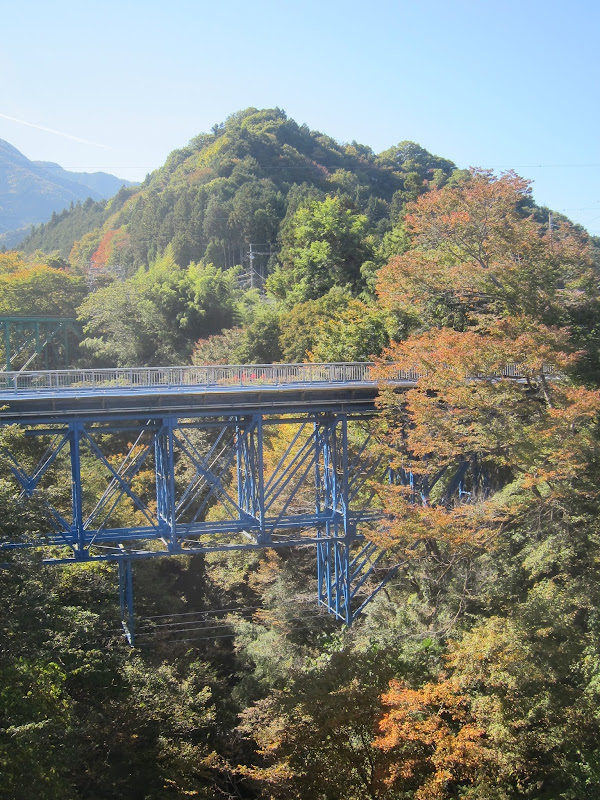
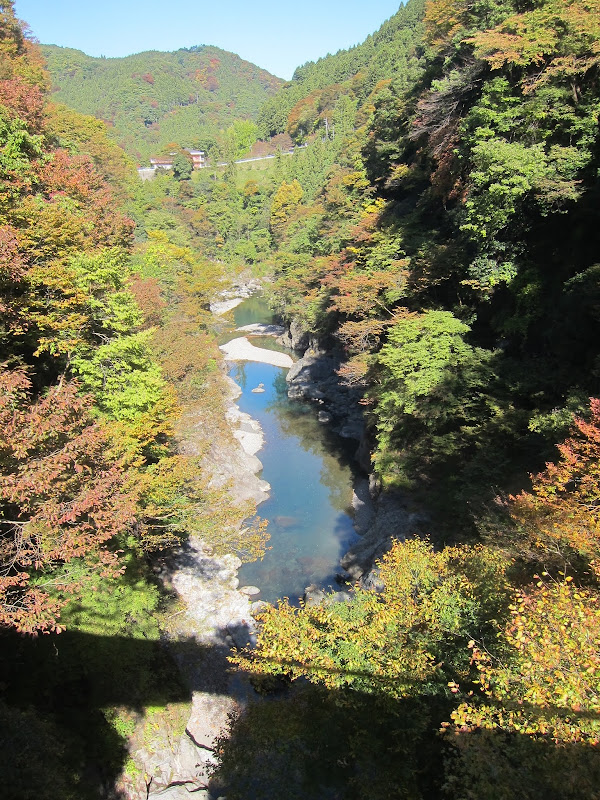
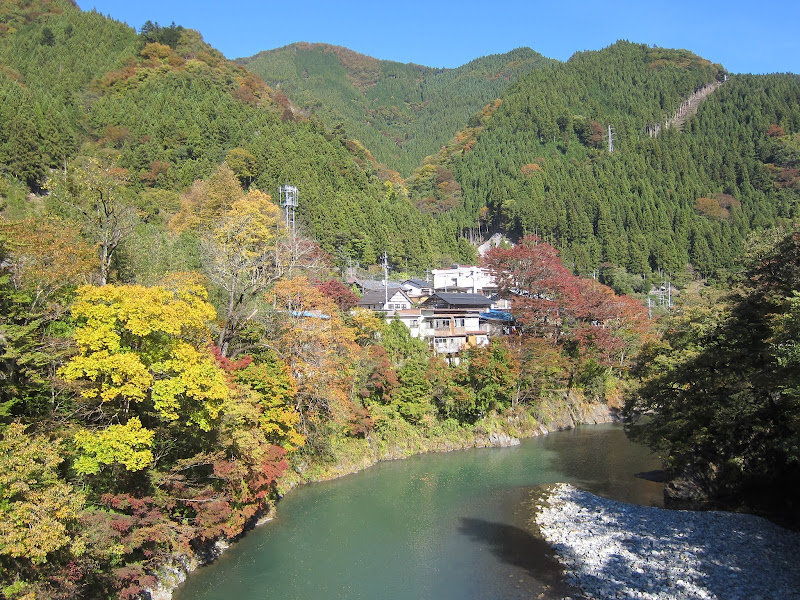
The back roads were great, some of them almost totally deserted of cars. At other spots there were many parked cars and people walking around with tripods and fine SLRs to capture the splendid seasonal views.

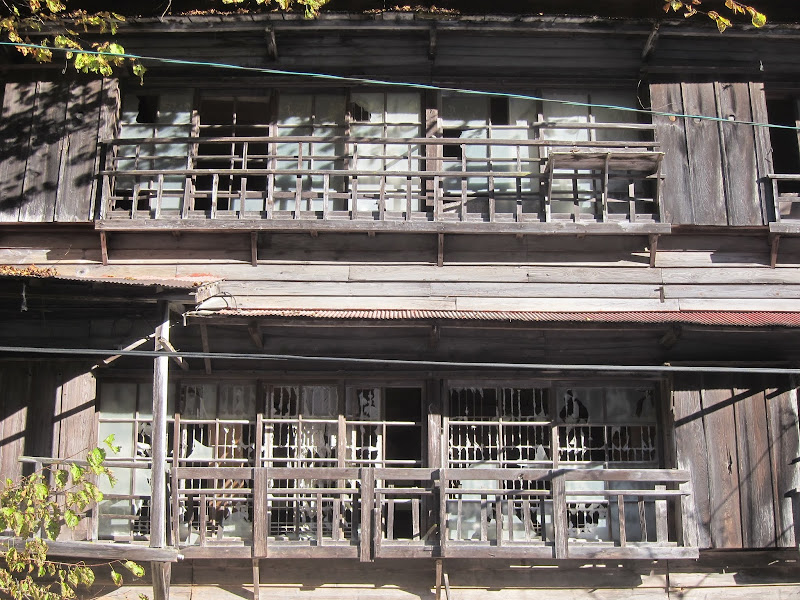
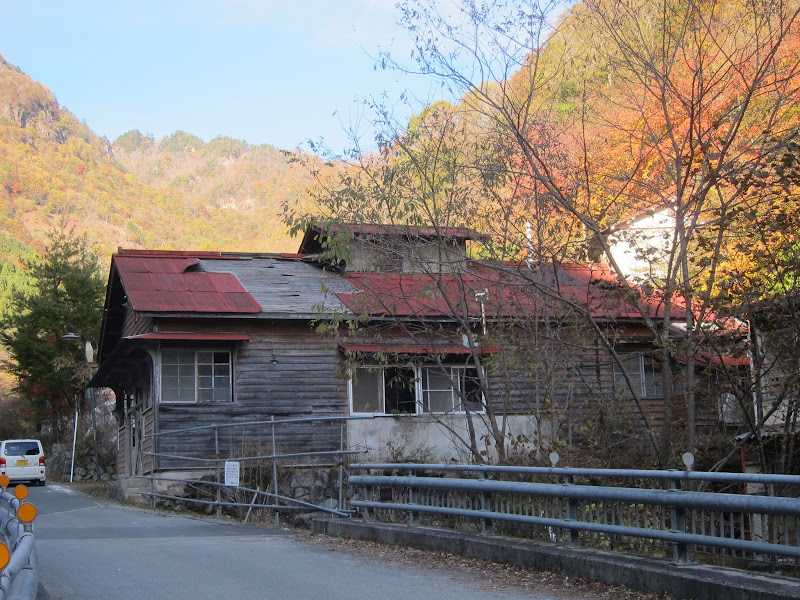
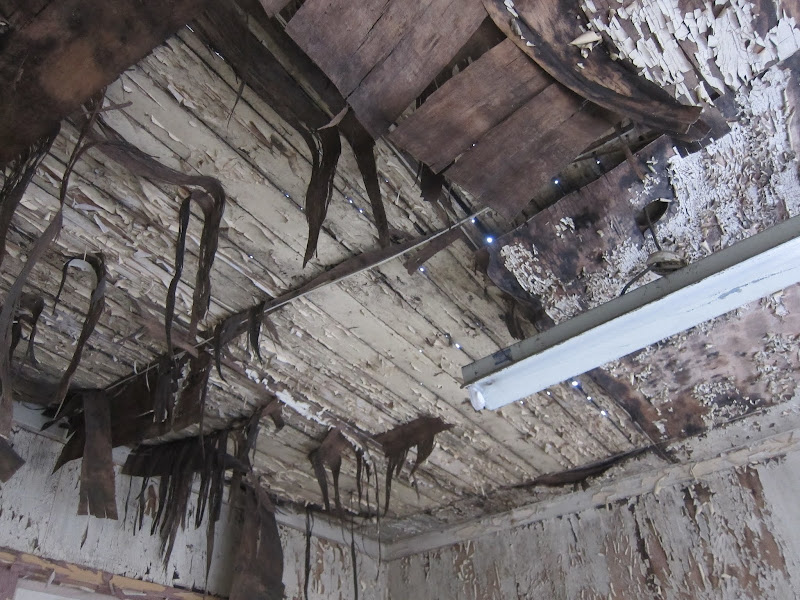
It took us four hours from Chichibu via route 140 and route 210 to Nichitsu and the tunnel above. These are some workers’ dormitories:

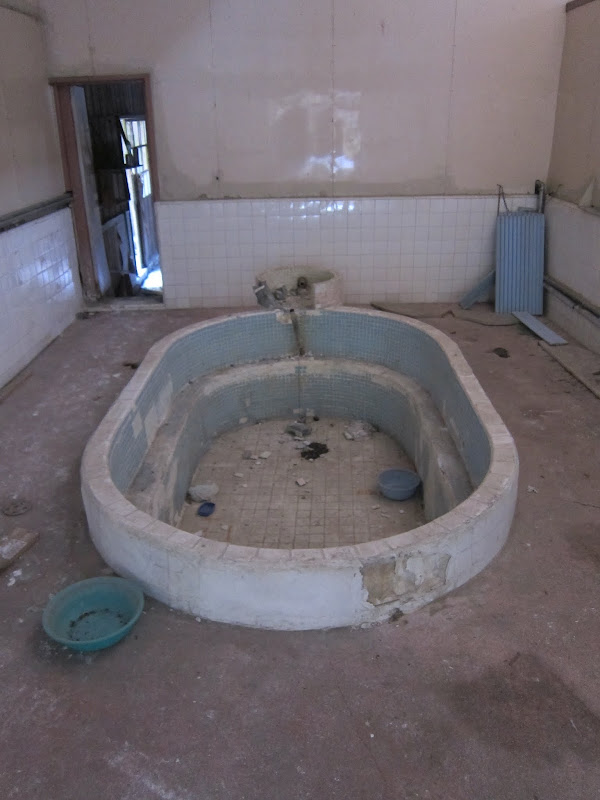
This used to be the public bath house:

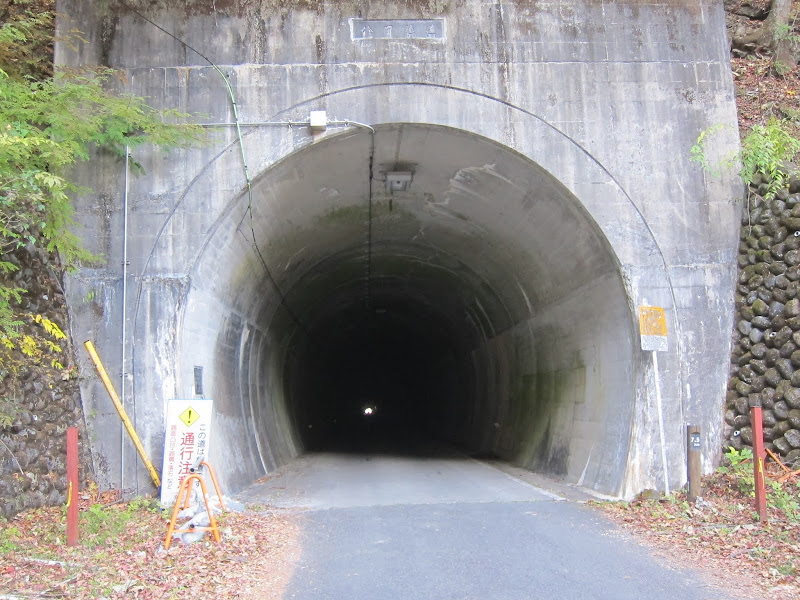
This is the tunnel at the top of the valley:

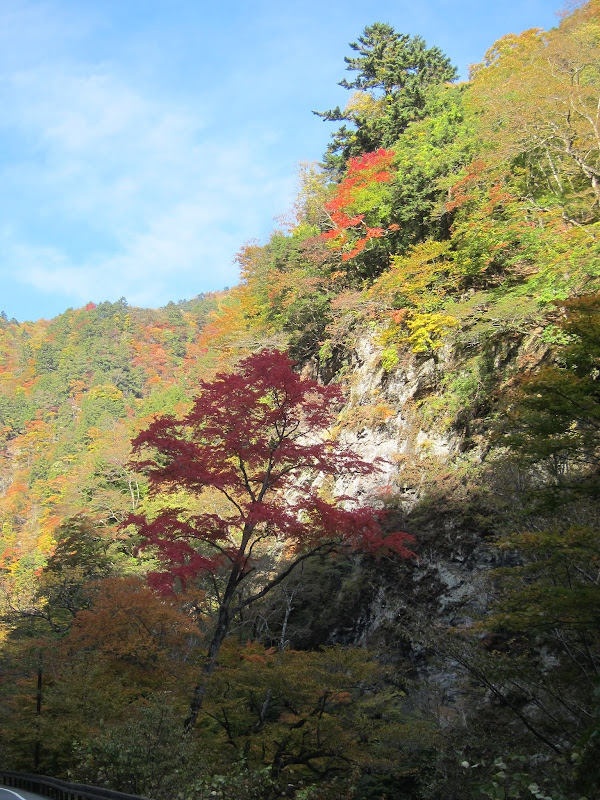
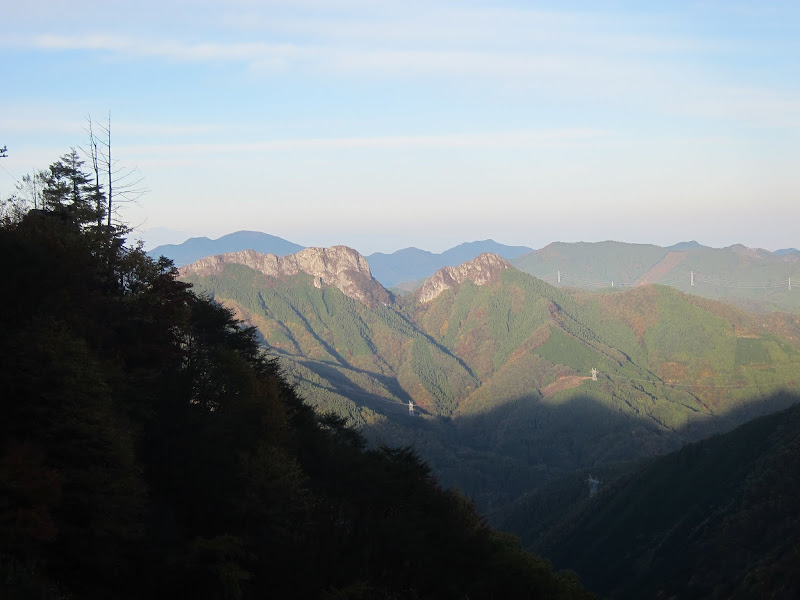
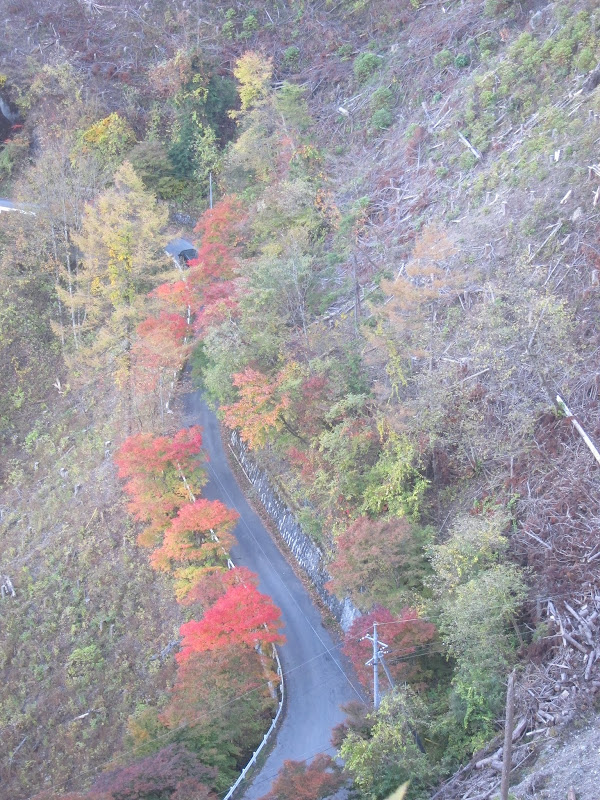
The trees became more colourful the higher we climbed. At the top most of them had already shed their leaves. The climbs were maybe as steep as 10 % and did I already mention that it was cold?

Though we never stopped for very long, we stopped many times for pictures, as these were a main goal of the ride. Thank you for your patience, Jose!

After already riding for an hour in the dark we got back to Chichibu around 18:00. We had just enough time to pack the bikes and get some food before hopping on an express train back over the mountains. We had covered 177 km with over 2400 m of climbing in beautiful countryside. What a great day!

The collagen scam

If you watch Japanese TV, you will come across variety shows or commercials almost daily that praise some food as being “rich in collagen” (“コラーゲンたっぷり”). The target of these ads are invariably women, who are lead to believe that since collagen serves an important function in skin cells, that somehow these foods will make you look younger or more beautiful, even if the claim is not explicitly stated most of the time. Beyond Japan there are many consumers who use skin creams that contain collagen, with similar expectations.

The simple fact is, the body is not able to directly reuse any collagen supplied either as food or applied topically as a cream. If you buy this stuff, you’re wasting your money. If you’re selling this stuff, you’re misleading people.

Collagen is a type of protein that is manufactured inside cells from amino acids, the simple building blocks that all proteins are made from. A healthy, balanced diet that provides sufficient protein from whatever source is all it takes to enable collagen production. It’s no easier for the body to make collagen from amino acids from collagen-rich food than from the same amino acids from say, yoghurt, beans or chicken. The easiest way to help your skin is get enough hydration and not to smoke. Vitamin C is important too for collagen production, so eat enough vegetables and fruit.

In the case of creams, the body is not able to use the collagen at all because it’s not being digested into amino acids for rebuilding and it’s too bulky to pass cell membranes directly.

These facts are widely know. Any skin doctor will be happy to confirm them. Yet the lure of profits is too tempting for the public deception to stop.